Mobile app MVP for improving productivity and balance
MakeTimeFlow wanted to scale their productivity improvement service with a mobile app. I helped them design an app to test their ideas.
Problem Statement
MakeTimeFlow is a transformative productivity service that teaches customers to manage and spend their time more intentionally with a timer device and complementary coaching. The company approached me to design an MVP mobile app to complement their existing service and gauge market viability.
Goal &
my role
Goal - validate whether a mobile app would be a compelling product for the target audience.
Key responsibilities - UI/UX app design: conducting user research, creating wireframes and prototypes, creating a design system and components. I worked with a product owner and a lead developer in a team distributed between the US and Europe.
- UI/UX design
- User research
- Wireframing
- Prototyping
Research &
findings
In order to create an effective design, I needed to understand the problem space and target audience better. I went through prior user feedback received on MakeTimeFlow's existing products in the form of recorded interviews and short surveys. I also familiarized myself with topics on productivity-focused online communities and analyzed competing apps to learn how to differentiate the proposed product.
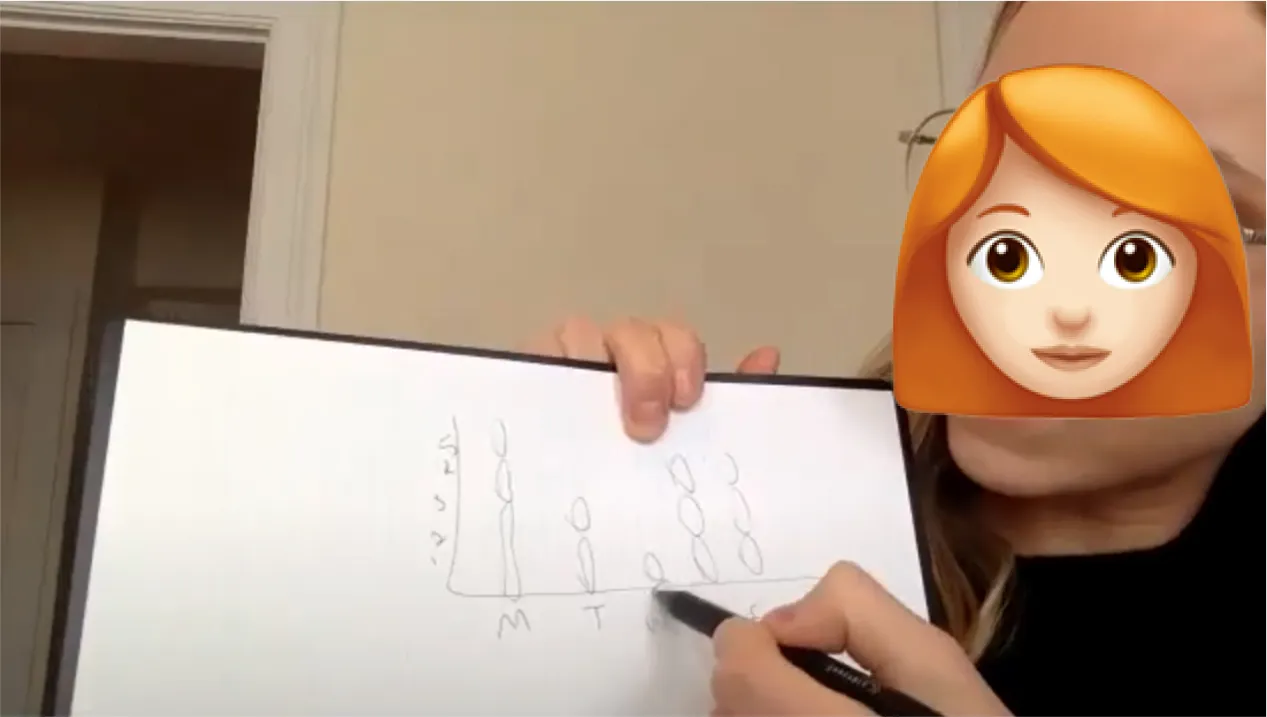
Capture of a user feedback recording.
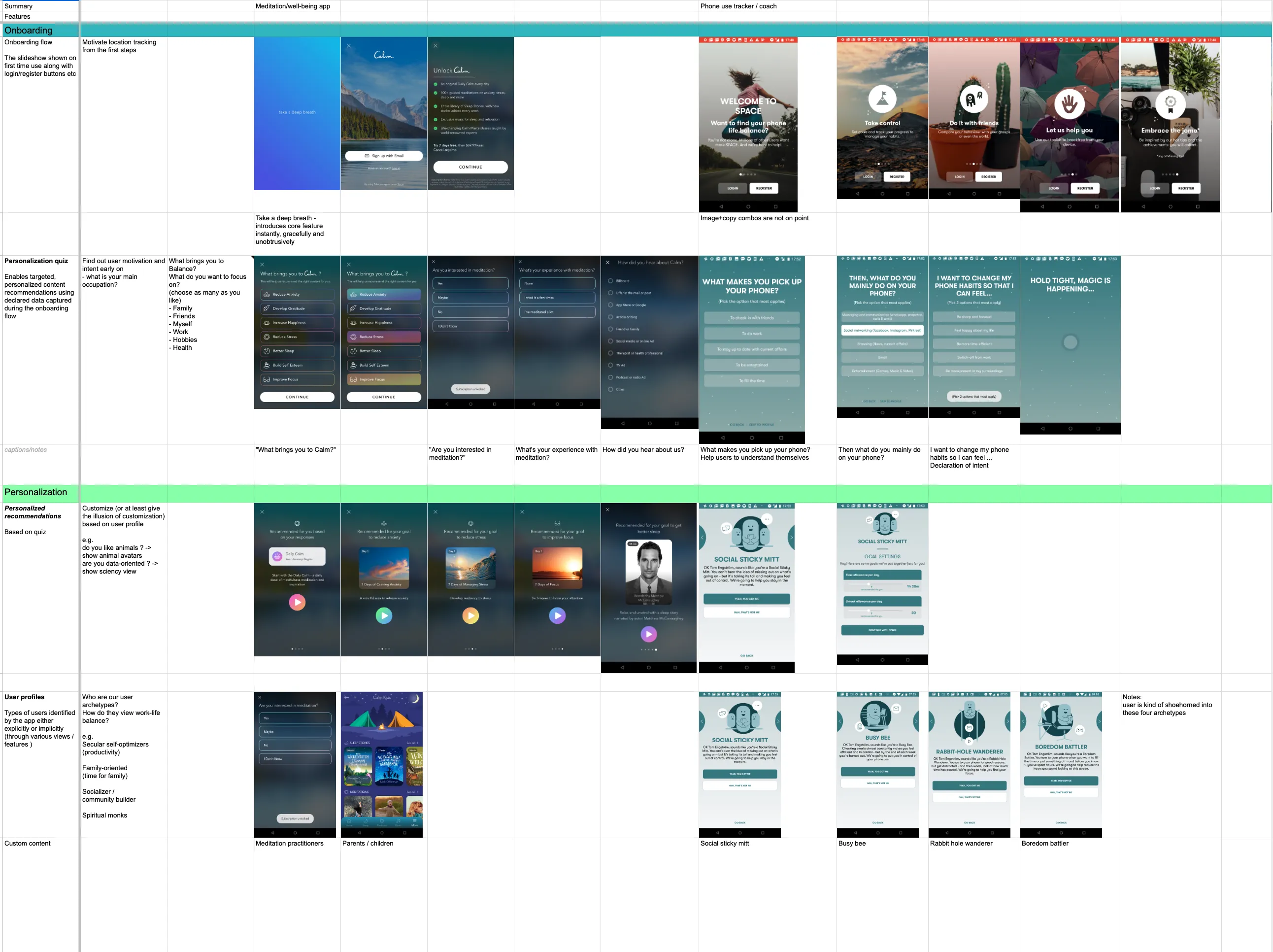
Analysis of benchmarked products.
After consolidating the research notes, I arrived at some key findings:
Users
Strivers and high-achieving professionals with a demanding careers, between the ages of 30 and 50. They have limited time and attention to invest on learning new tools and techniques.
Striver
Need for insights and guidance: While some potential users are happy with basic focus timer tools, many expressed a desire for more insights and guidance to help forming, maintaining and improving healthy productivity habits.
Preference for science-backed approaches: The target user group appreciates data-backed tools with a scientific approach. Finding ways to integrate scientifically-backed principles would thus likely enhance user trust and engagement.
Ingrained habits: Users typically have tools and routines in place to manage their daily productivity. These habits would require some changes to improve the work-life balance outcomes. Changing habits is difficult, so they would need support in this regard.
Competitive environment and constraints
Crowded marketplace: The marketplace for productivity apps is crowded with products such as timers, calendars and task management systems. They tend to focus on productivity without explicitly helping users be more intentional with their time or maintain better work-life balance.
Limited resources: With a team of 3 and bootstrapped funding, there weren't a lot of resources to go around to e.g. recruit test users or develop a wide gamut of features.
Synthesis & direction
I presented the research to the product owner and we evaluated various approaches. Given our constraints, strategic feature selection would be crucial.
We concluded that a mobile app with a focus timer, structured learning videos, data visualizations, and automated coach check-ins would meet user needs, stand apart from competing products and complement the existing suite of products effectively enough to constitute a MVP. We focused on the following directions:
- Provide scalable learning: To support users' need for guidance and respect their time scarcity, we decided to include a structured learning section to enable users to learn the necessary knowledge and skills in incremental steps. This would leverage the company's existing depth of knowledge in coaching without impeding scalability.
- Encourage habit formation: To help users form healthier productivity habits and app usage we decided to include a goal setting feature, periodical check-ins with reminders, celebratory achievements, and an encouraging tone of voice.
- Simplicity: Given the users' preference for scientifically-backed approaches, we decided to focus on relatively minimal aesthetics and use simple illustrations and data visualizations to spice up the visuals, and provide references throughout the learning materials.
Directions we decided not to follow:
- Integrations - Most users were already using task management systems, indicating that integrations could make a timer much more useful in work contexts. This was eventually scoped out for complexity and relatively low priority.
- Building a desktop or browser-based app - While some of the research indicated that an app usable from the desktop would fit user needs better, the product owner had already decided to build a phone app based on a prior hypothesis that users desire a mobile timer.
- Matching physical device aesthetics - While this could have helped adoption for existing users and kept the product offering more cohesive, the MVP was meant to attract entirely new users so this wasn't relevant for the project.
Design process
I initated by creating user journey maps and information architecture schematics that we refined to reach consensus on the basic structure.
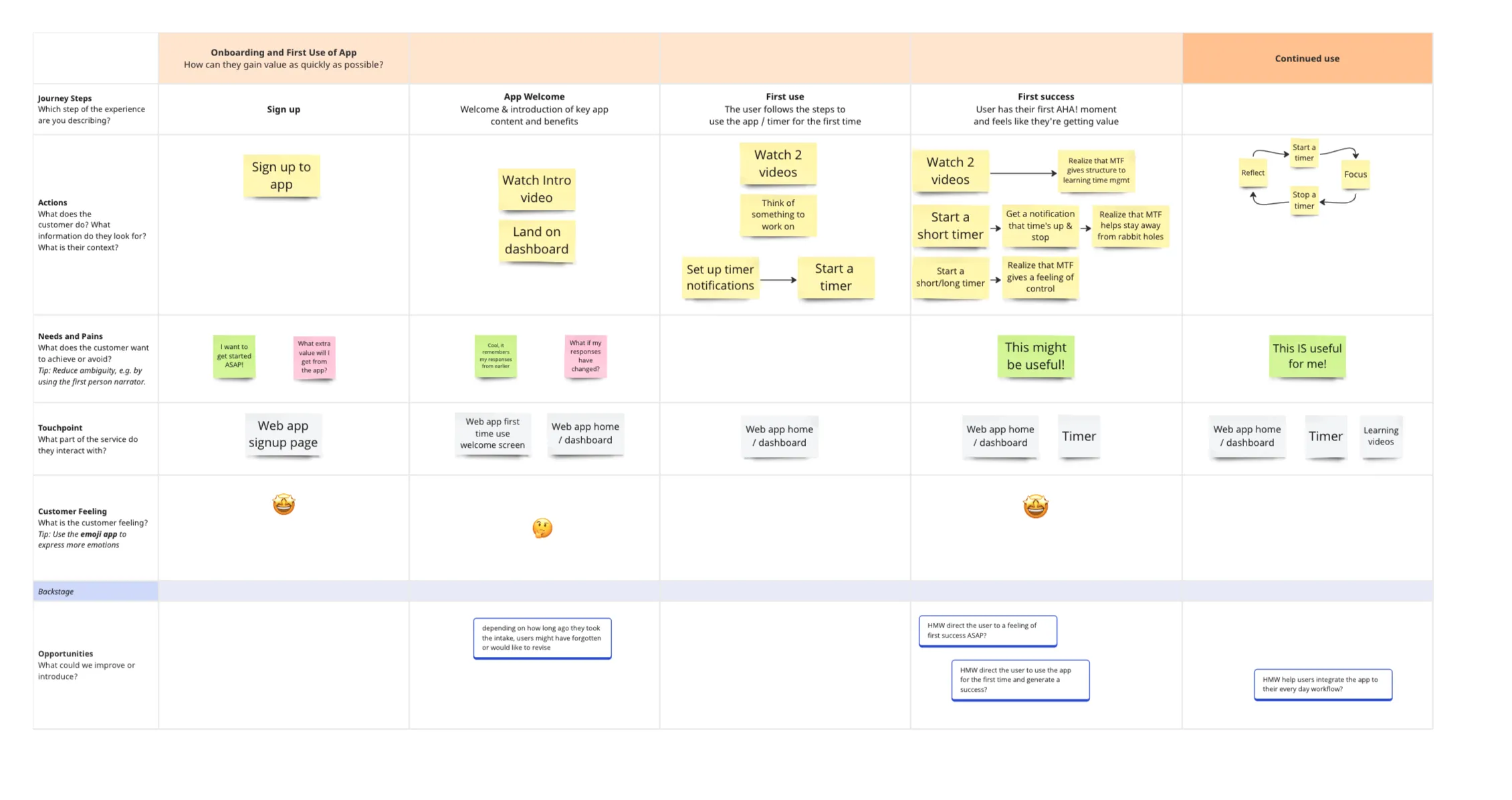
First time experience journey map.
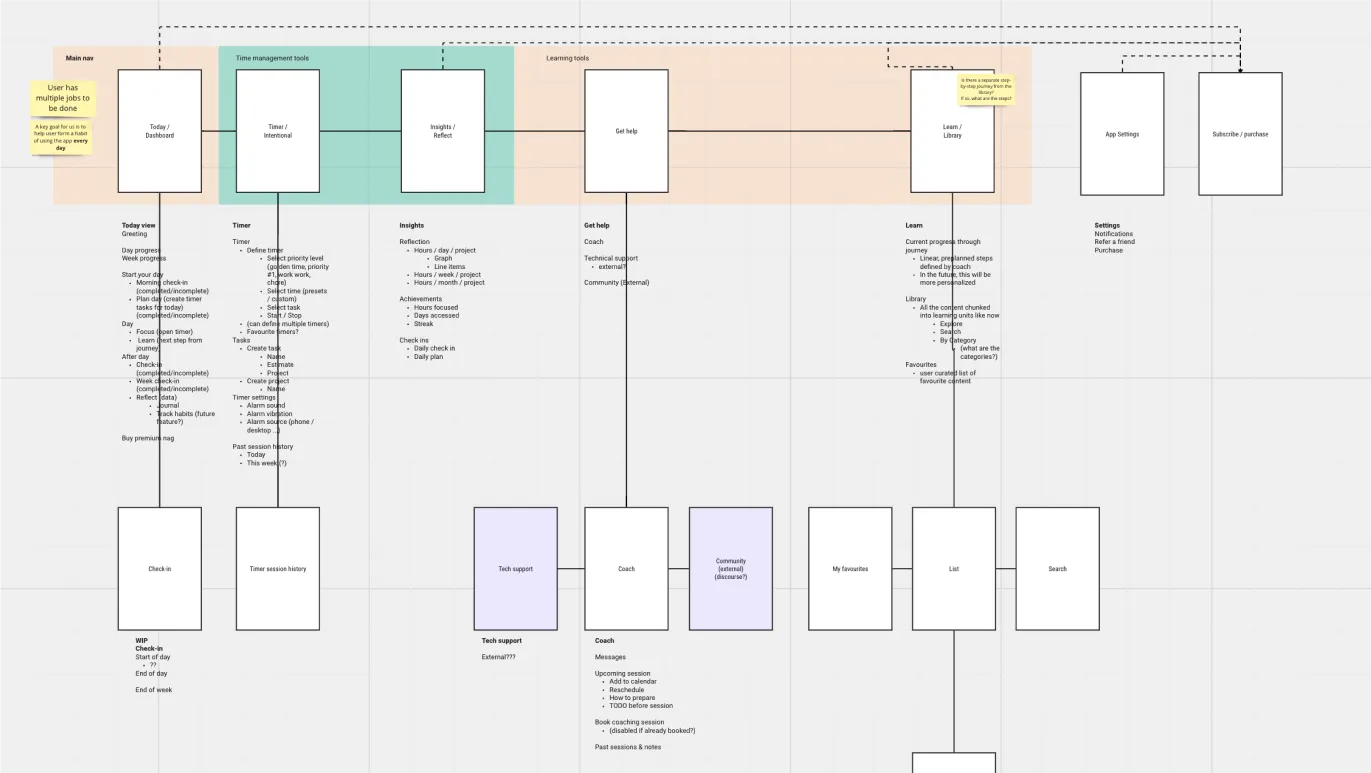
Information architecture work in progress.
Then, I crafted wireframes, low-level designs, and Figma prototypes in collaboration with the product owner and lead developer to ensure feature inclusion and technical feasibility.
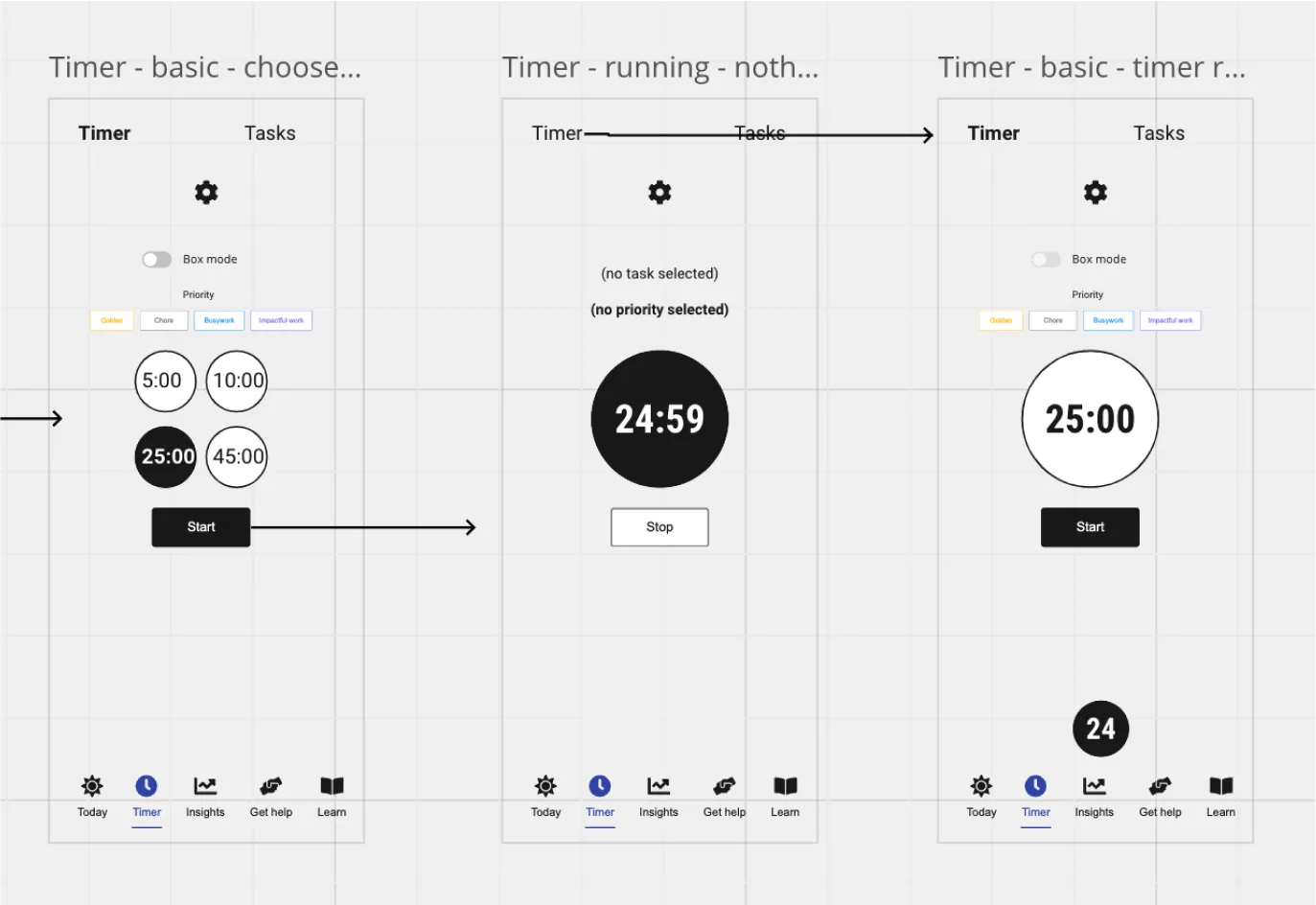
Wireframes in progress.
Afterwards, I refined the designs and worked closely with the lead developer to build versions to validate first internally and eventually with a beta test.
Solution highlights
The final design is centred around supporting three main use cases:
- Learn the central skills and knowledge to be more intentional with time usage
- Goal-setting and reflections
- Using focus timers and forming a habit
Easy access to learning resources
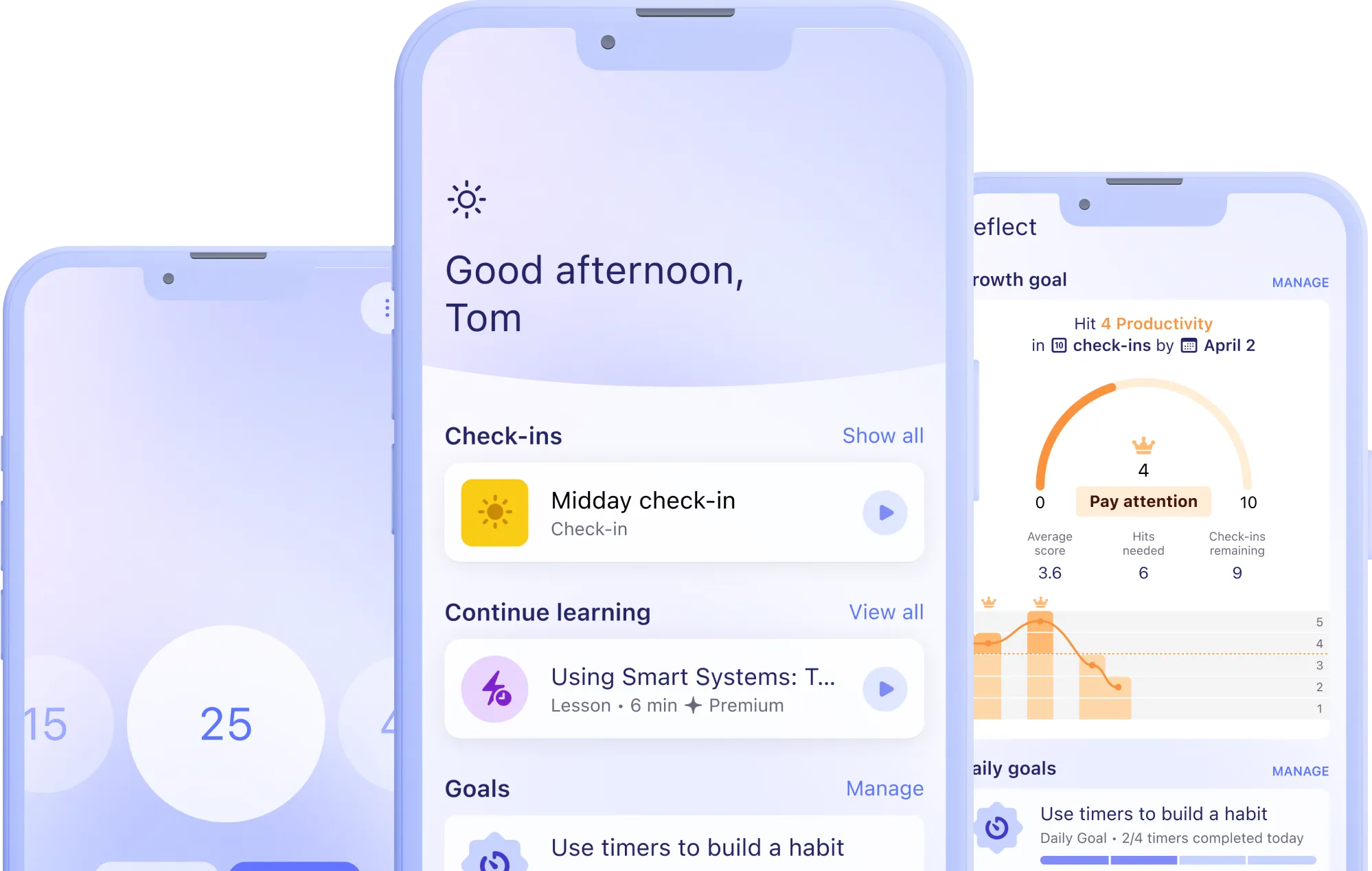
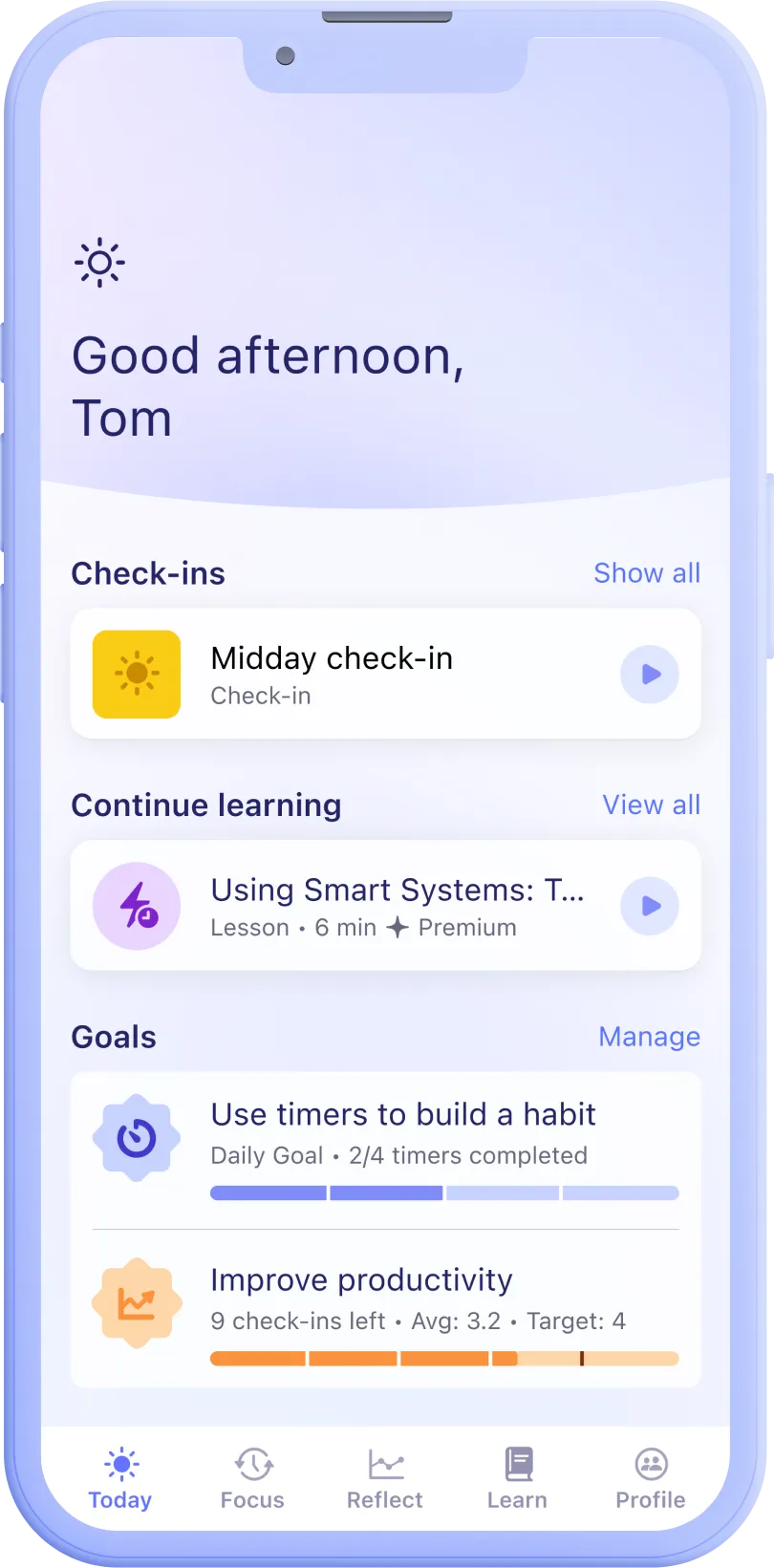
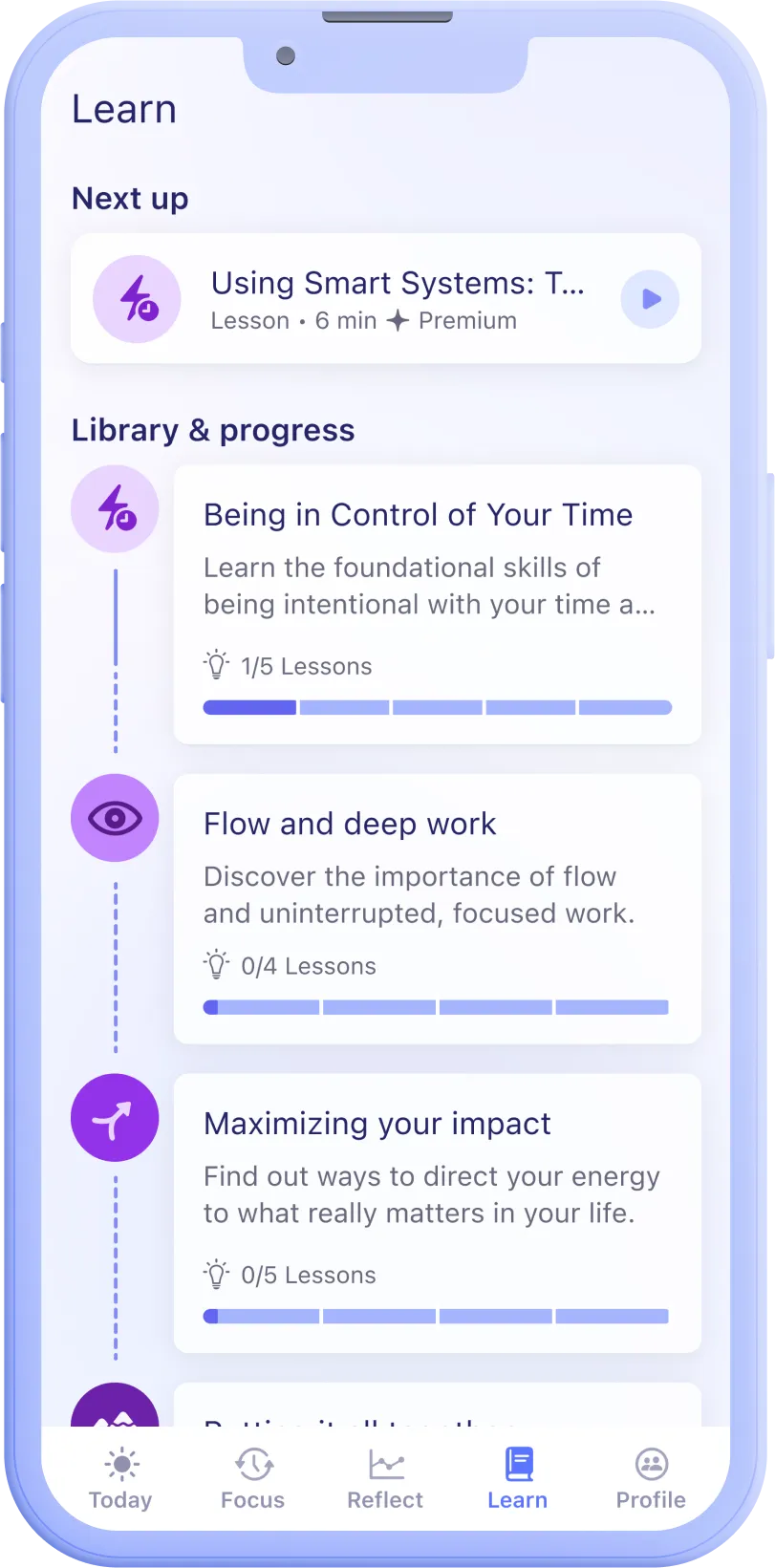
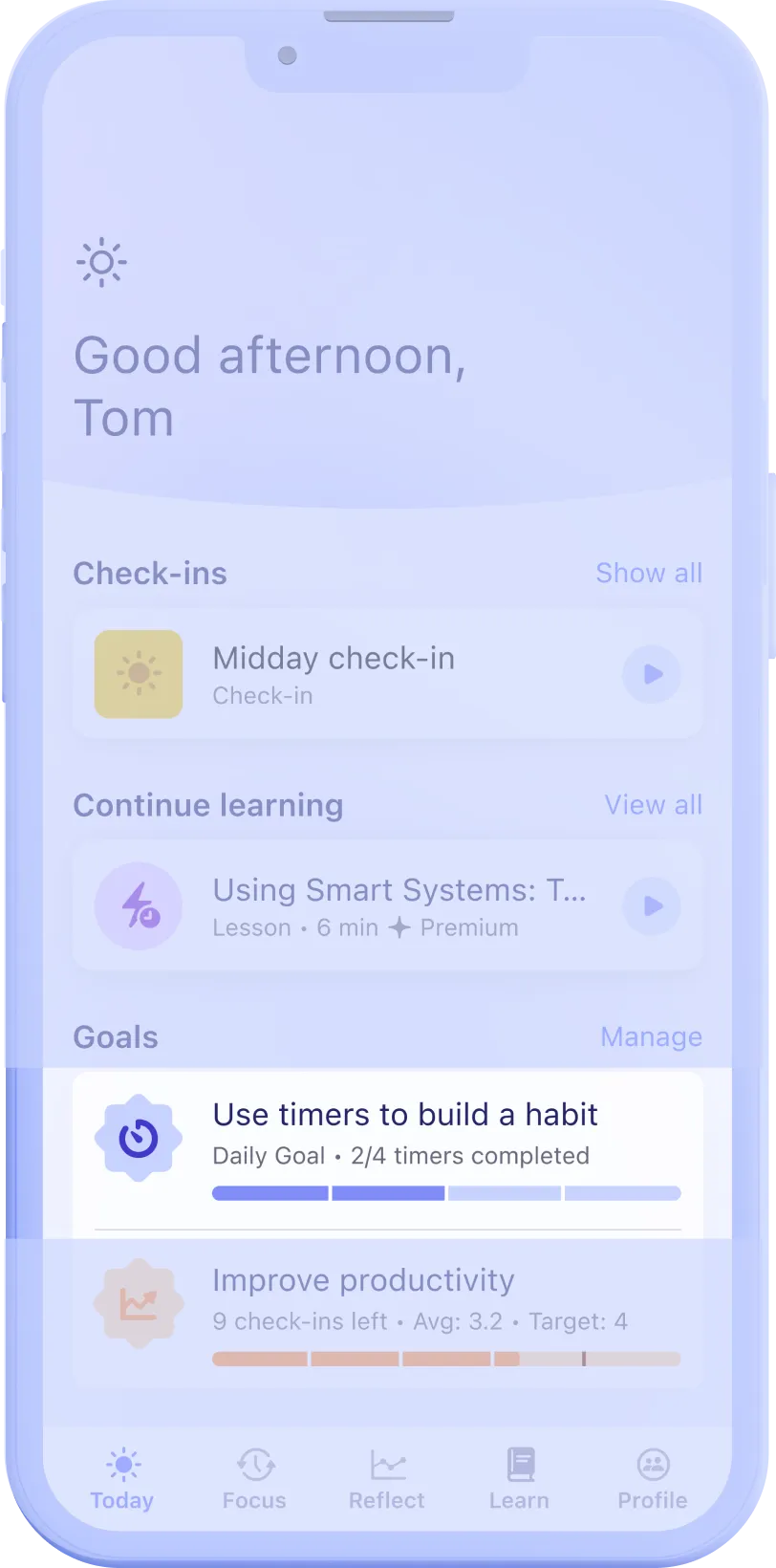
Users can reach their next lesson easily from the home screen. Lessons are structured into manageable chunks and provided in video format with accompanying transcripts. This helps users gradually learn the skills needed while respecting their scarce time and attention.
Minimal focus timer
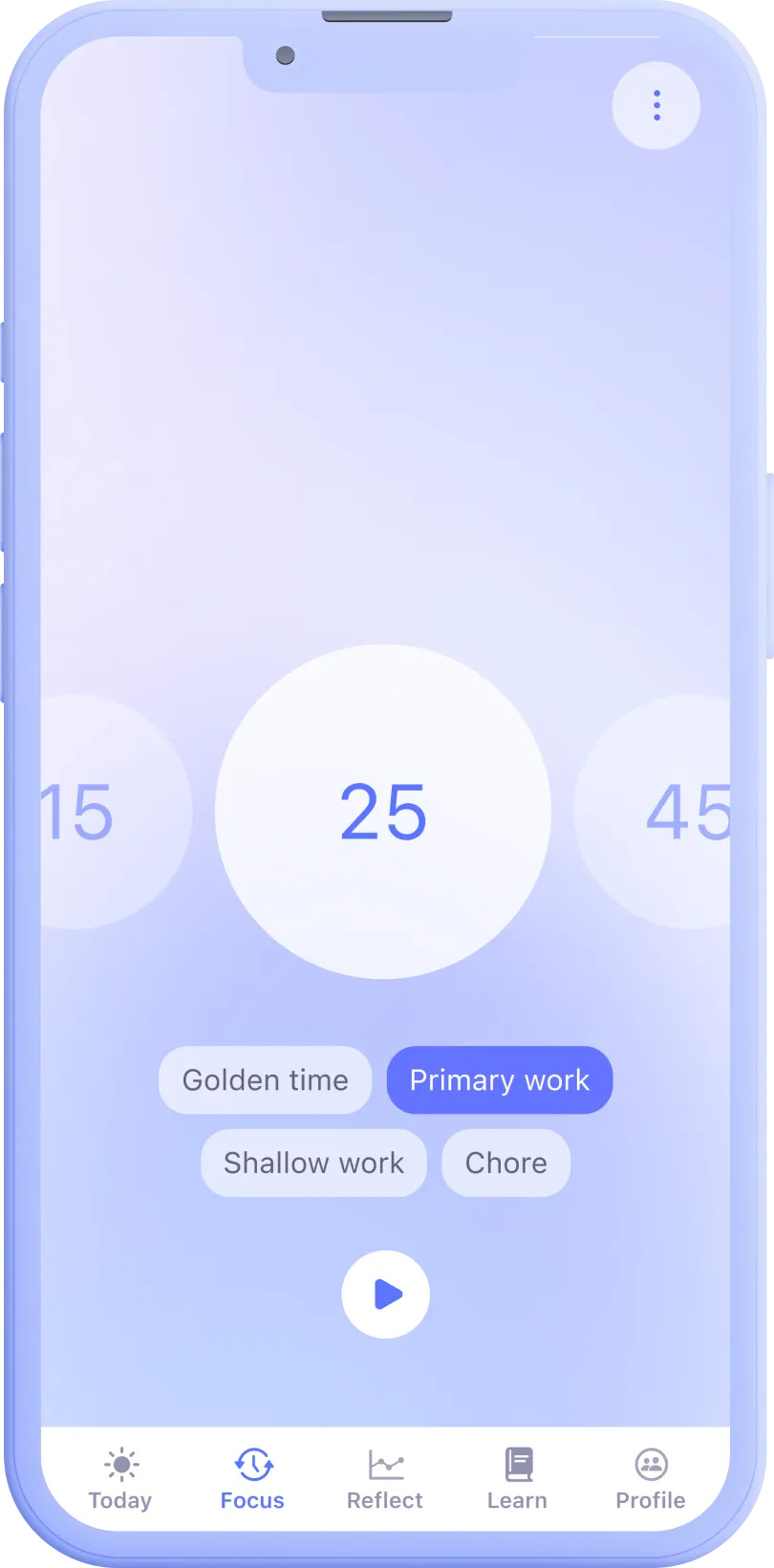
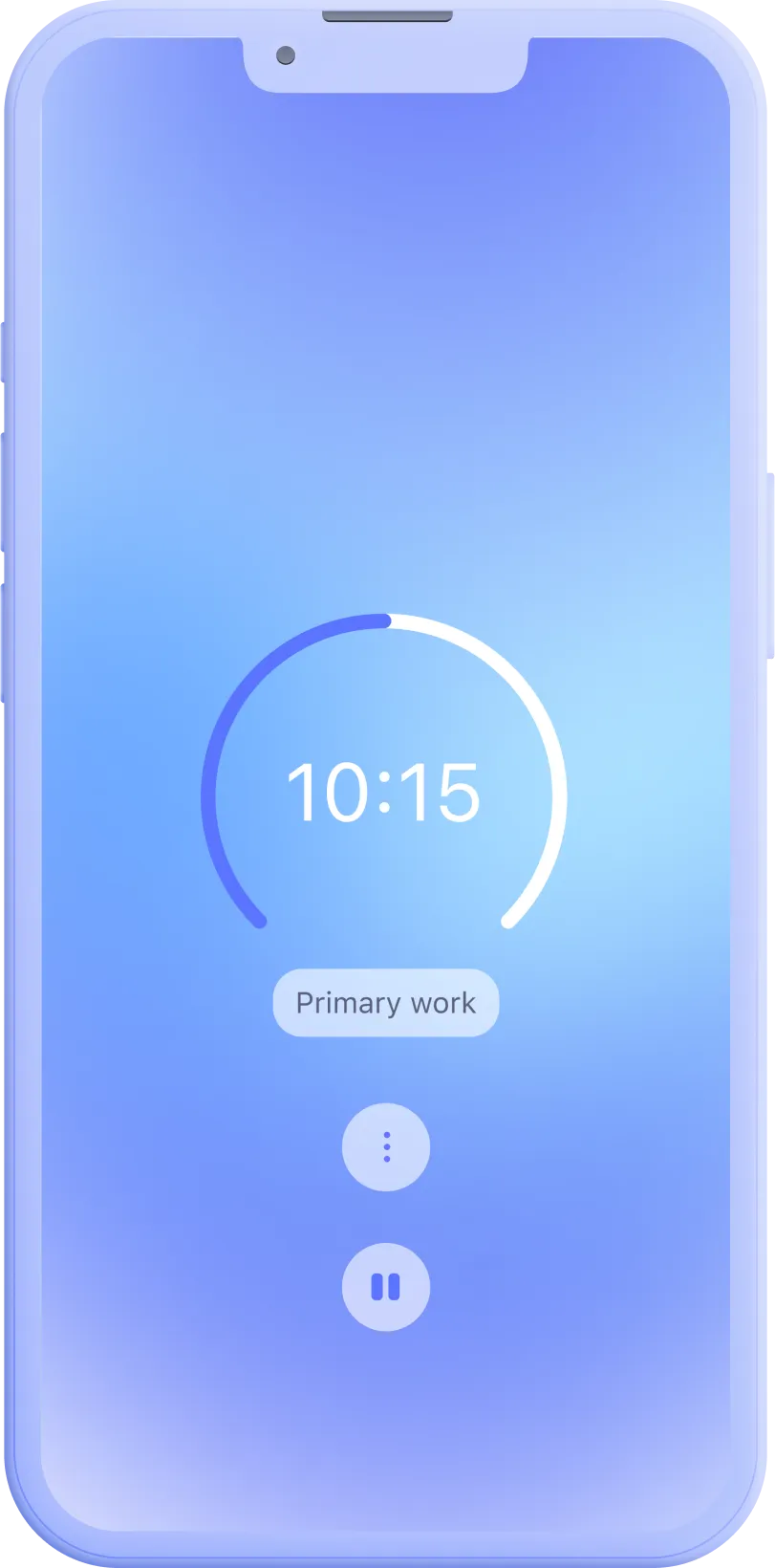
I designed a focus timer with preset timers and categories that provide a good starting point for reflecting on intentional time usage without having to type in tasks. This helps users get started regardless of any other productivity platforms they might be using.
Habit formation support
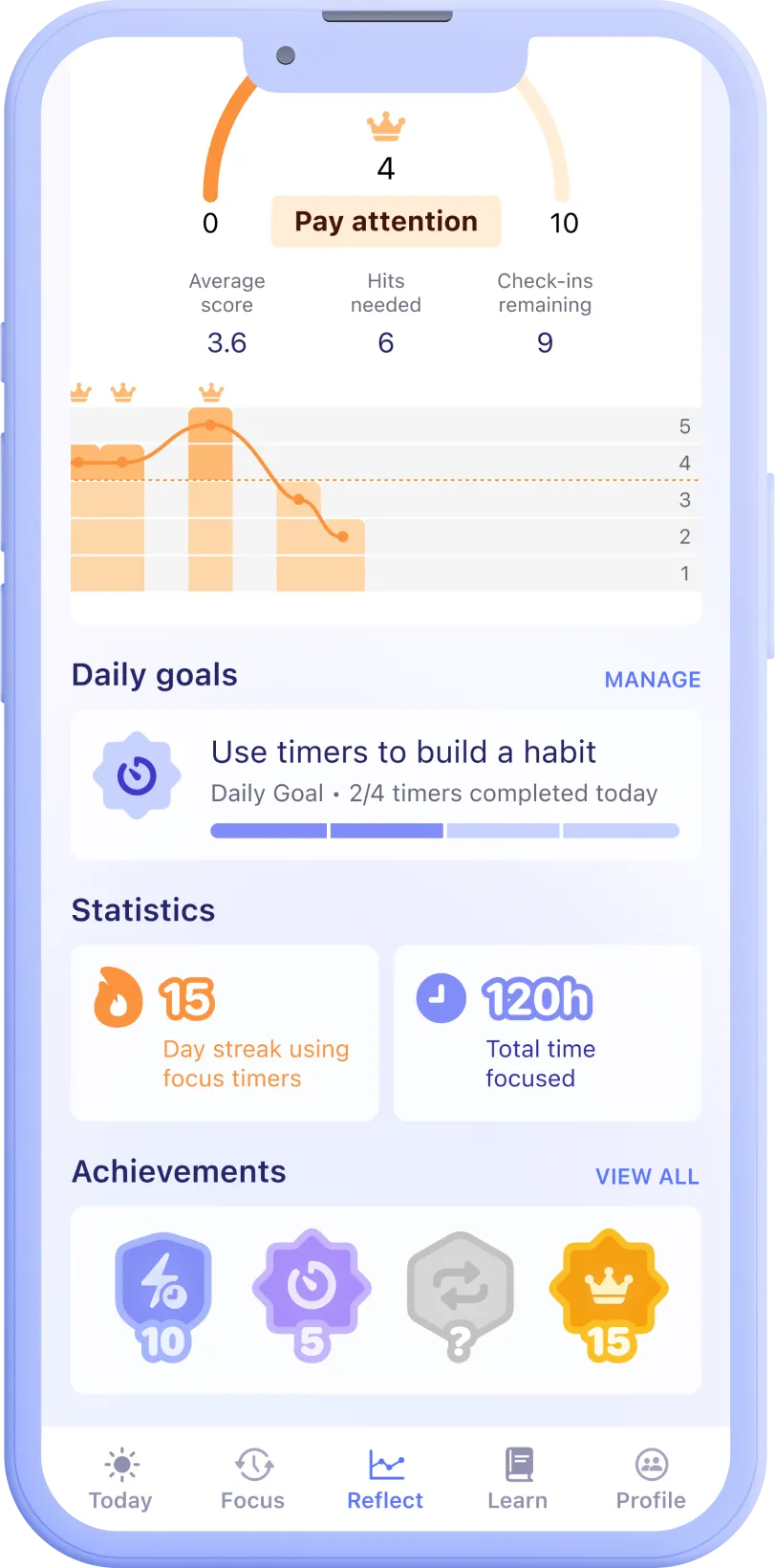
I added daily goal setting, trackers and reminders to support users in habit formation both for timers and periodical reflections. This helps users learn more healthy and intentional time usage habits.
Check-ins and reflection
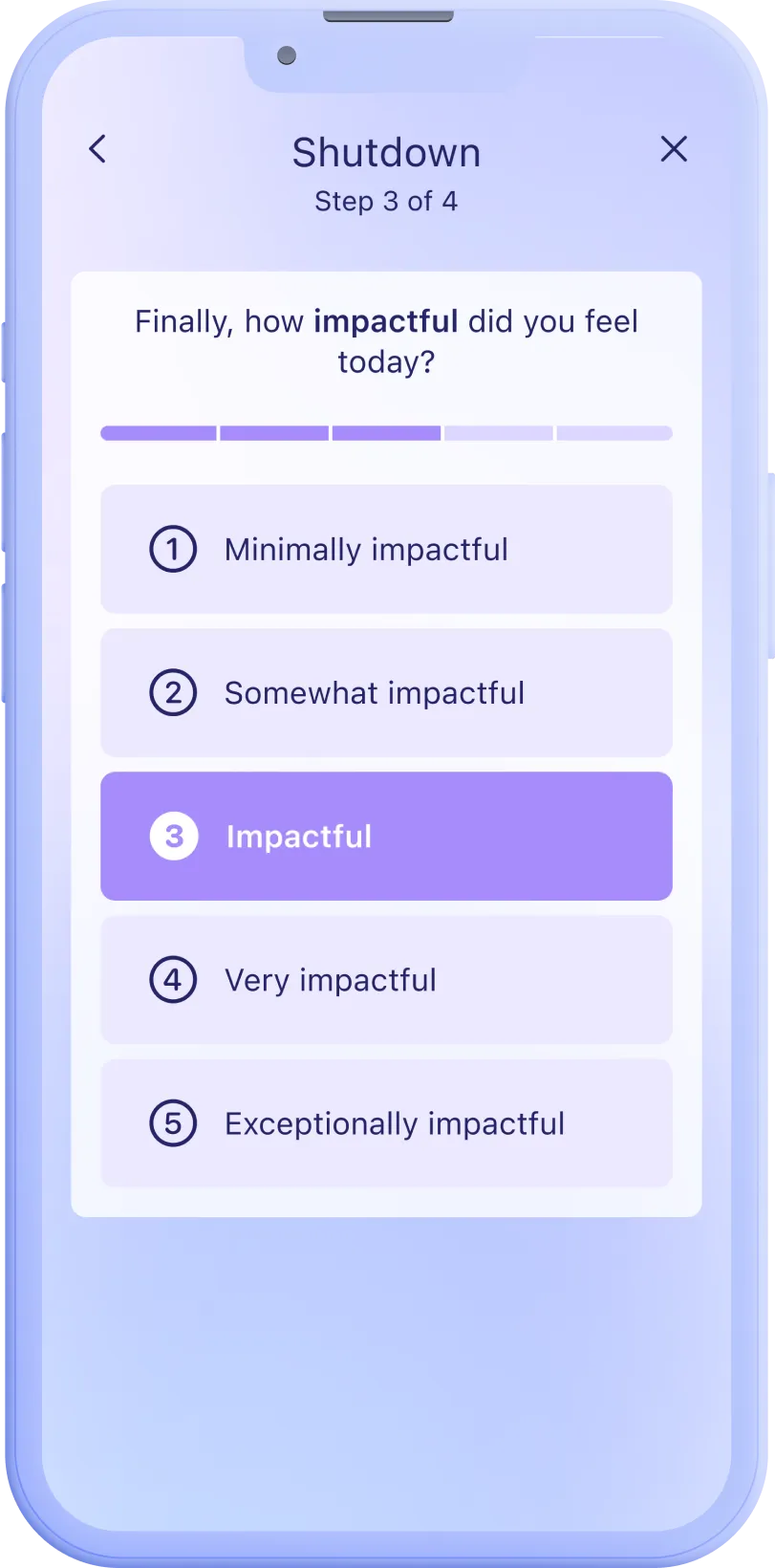
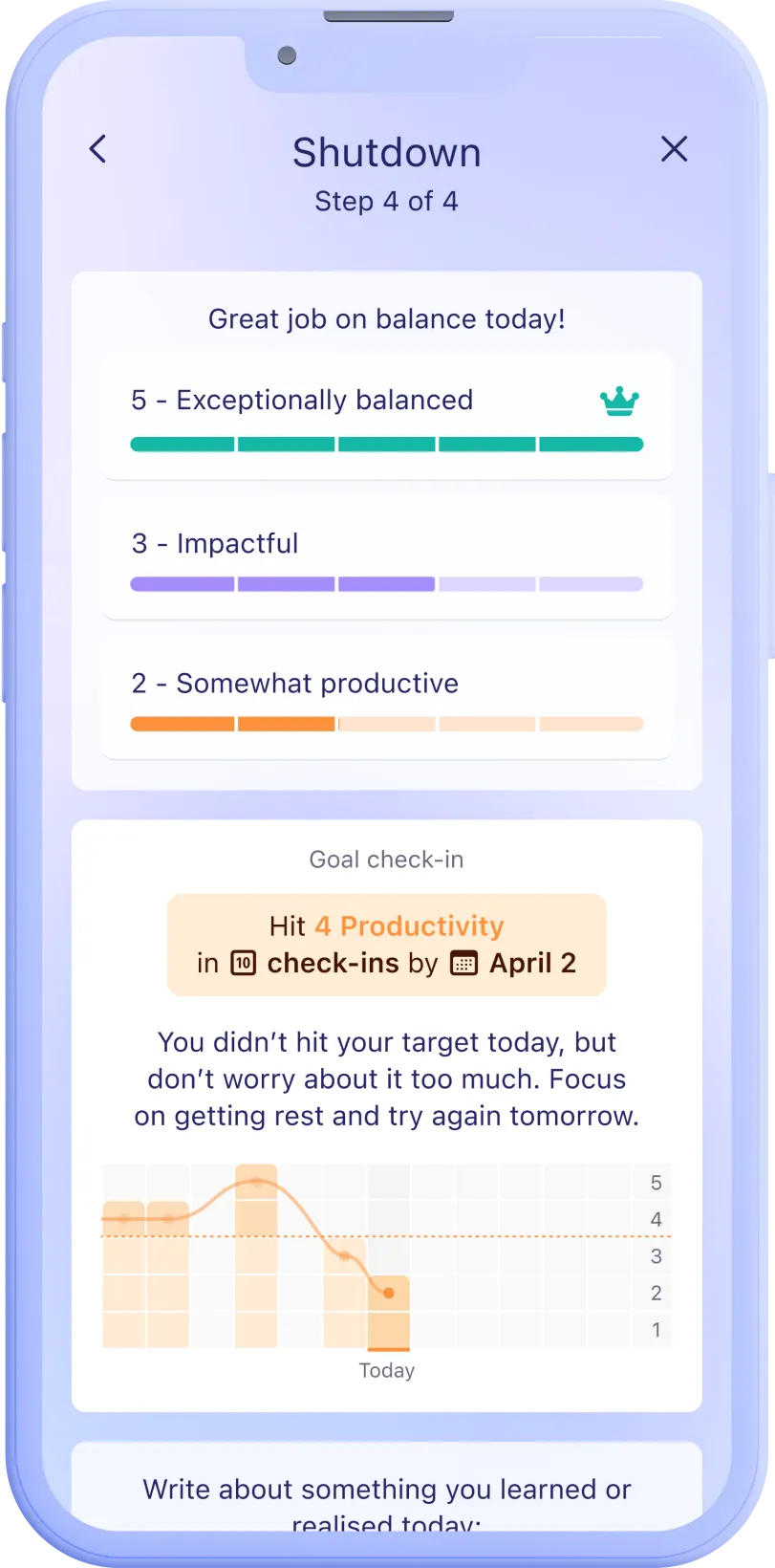
I added stepped check-ins that help users get started and stay intentional during their app usage journey. The check-ins also provide guidance and encouragement for user-defined goals.
Outcome
NPS 8+
The MVP was eventually well received by the beta cohort of users with a NPS score of above 8 (N=10), indicating that the feature set was meeting a user need.
Further development
User feedback indicated that providing a desktop or web based interface for the product would be more appropriate for many work-based usage contexts.
Takeaways
1 - Focus on the product's strengths first
In a crowded marketspace like this, we were often tempted to reinvent various features in order to stand out (e.g. creating a unique timer interface). However, once we identified the key value propositions of the product, we were able to allocate resources more effectively and deprioritize the less impactful feature ideas.
2 - Don't make platform decisions too early
In this case, the team had made the decision to create an iOS app prior to including a designer or researcher. As it turned out, a desktop app might have been more appropriate. In the end, the signal was received from validating the MVP but it might have been more effective to do more up-front research.